| NO. | Brand | Compatible P/N | Transceiver Type |
| 1 | Cisco | SFP-10G-ER40 | SFP-10G-SR |
| 2 | Cisco | SFP-10G-ER | SFP-10G-LR |
| 3 | Cisco | SFP-10G-ER-S | SFP-10G-LRM |
| 4 | Cisco Meraki | MA-SFP-10GB-ER | SFP-10G-ZR |
| 5 | Arista Networks | SFP-10G-ER | |
| 6 | HPE Aruba | J9153D | |
| 7 | Brocade | 10G-SFPP-ER40 | |
| 8 | H3C | SFP-XG-ER-SM1550 | |
| 9 | Juniper | EX-SFP-10GE-ER40 | |
| 10 | Dell | GP-10GSFP-1E |
|
HPE Aruba Compatible |
J9153D |
Vendor Name |
HYTOPTODEVICE |
|
Form Factor |
SFP+ |
Max Data Rate |
10.7Gbps |
|
Wavelength |
1550nm |
Max Distance |
40km |
|
Connector |
Duplex LC |
Transmitter Type |
1550nm EML |
|
Cable Type |
SMF |
Receiver Type |
PIN |
|
TX Power |
-1.0~+3.0dBm |
Receiver Sensitivity |
< -15.5dBm |
|
Power Consumption |
≤1.5W |
Operation Temperature |
0 to 70°C (32 to 158°F) |
For detailed technical specifications, please refer to the Datasheet
Usage Guidelines & Best Practices
Fiber Choice: OS1/OS2 single-mode fiber (9/125 µm) is correct. Standard duplex LC-LC connectors are standard. Do NOT use OM1/OM2/OM3/OM4 Multimode Fiber (MMF) cables; severe modal dispersion will prevent link establishment.
Connector Match: Clarify that UPC/PC is required for proper optical contact, while APC will result in an unusable link and excessive signal loss.
Cleanliness & Dust: Keep dust caps on whenever unattached. Clean fiber end-faces with a optical cleaning pen before insertion; dust causes over 80% of optical link failures.
Link Tuning: If auto-negotiation fails with legacy SAN switches, manually lock the port speed to 10Gbps
Handling: Wear an ESD wrist strap during installation. Maintain a minimum fiber bend radius of 30 mm to prevent micro-bends and optical power loss.
Installation & Hot-Swap Rules
Supports MSA-compliant hot-swapping. Insert/remove gently without powering down the device. Keep dust caps on unused LC ports and avoid frequent re-plugging.
Operating Environment
Commercial grade: 0°C to 70°C in indoor environments. Keep away from extreme heat, moisture, and dust for long-term stability.
For detailed operation instructions, please refer to the User Guide.
Full Compatibility List and Supported Devices
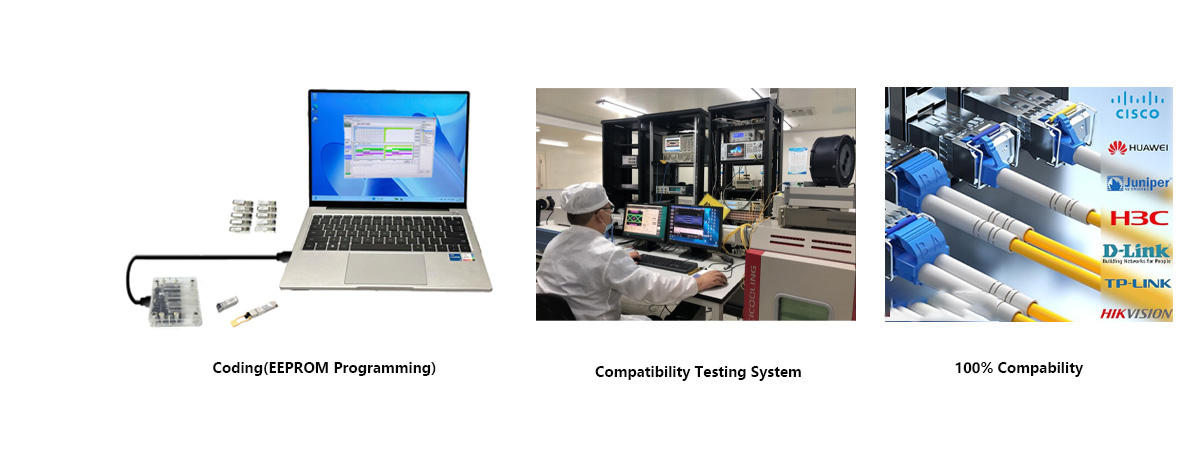
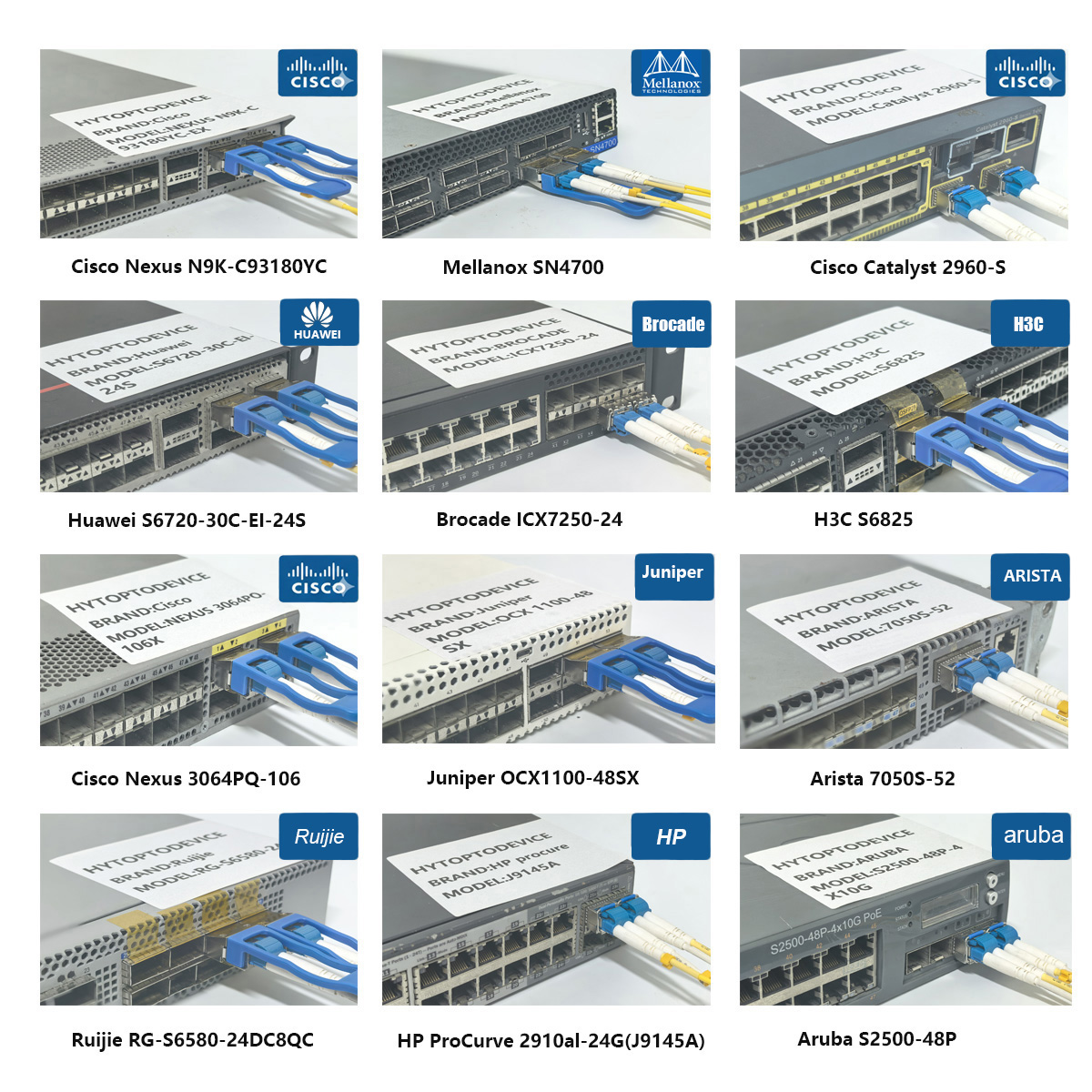
Lab‑validated with pre‑programmed HPE Aruba EEPROM profile, this SFP+10G ER MODULE prevents transceiver unrecognized alerts, port shutdown and link instability, delivering performance matching original J9153D. Tested for below HPE Aruba hardware platforms:
● Aruba 2930F, 3810M, 5400R enterprise switches
● Aruba CX 6200, 6300, 6400 series switching platforms
● HPE FlexFabric series data center switches
Note: Upgrade HPE Aruba firmware to official stable release for best compatibility performance.
Main Application Scenarios
| Distance | ≤ 5km | ≤ 10km | ≤20km | Remarks |
| Attenuator | 12dB | 9dB | 6dB |
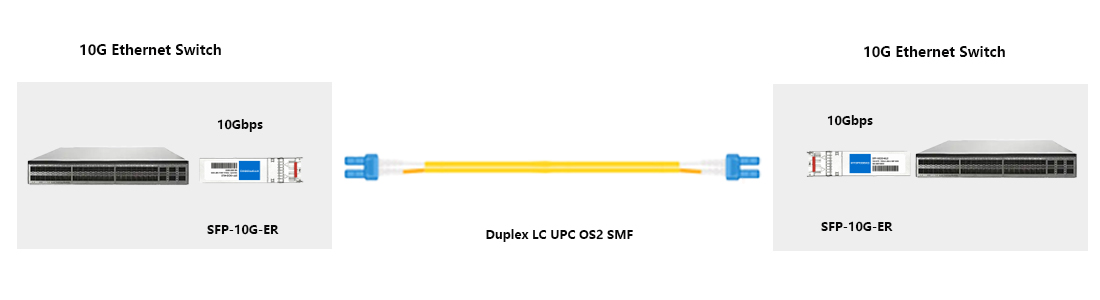
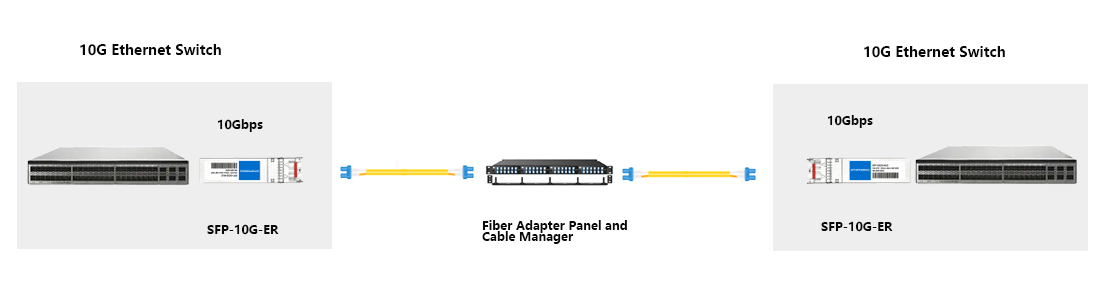
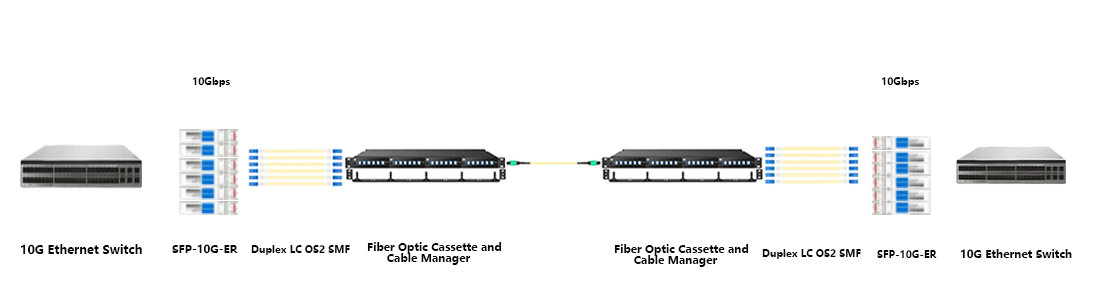
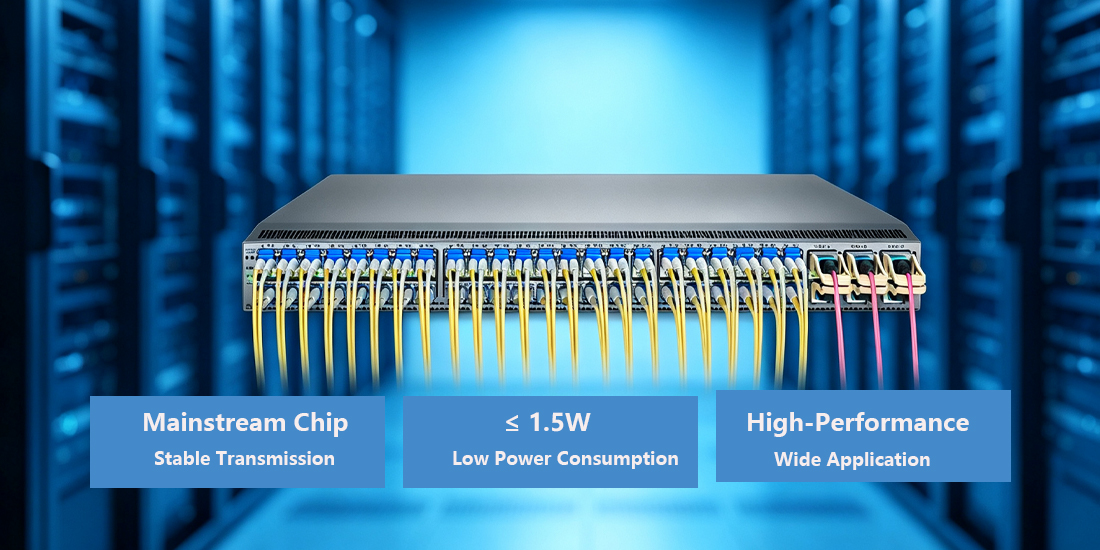


Q1: What real‑world transmission distance can I achieve deploying this HPE Aruba J9153D‑compatible SFP+10G ER MODULE?
A: This SFP+10G ER MODULE delivers maximum 40 km transmission over OS1/OS2 G.652 single‑mode fiber under IEEE 10GBASE‑ER specification. Actual reach will drop when total link attenuation rises from splices or dirty connectors. Buyers planning metro long‑haul deployments should perform optical loss budget calculation before bulk procurement of J9153D compatible optics.
Q2: Are there receiver damage risks when running SFP+10G ER MODULE over very short fiber cable runs?
A: Over‑power incident light can potentially damage the PIN photodiode when running very short SMF links without attenuation pad. For links much shorter than 5 km, insert an appropriate fixed optical attenuator to keep receive power within the valid range <‑15.5 dBm ~ +0.5 dBm. System integrators should note this risk when deploying short‑range metro‑fiber projects with high‑output ER transceivers.
Q3: Which optical wavelength is used inside this aftermarket J9153D SFP+10G ER MODULE?
A: HPE Aruba J9153D compatible SFP+10G ER MODULE adopts 1550 nm transmission wavelength for 10GBASE‑ER standard. Compared with 1310 nm LR modules, 1550 nm features lower fiber dispersion for long‑distance single‑mode transport. When you procure replacement transceivers for cross‑building enterprise links, double‑check wavelength matches your existing fiber‑plant design.
Q4: What fiber connector end‑face type works correctly with this SFP+10G ER MODULE?
A: This transceiver uses duplex LC‑UPC interface, you must select UPC‑terminated single‑mode patch cords. APC connectors introduce extra return loss, causing increased BER and intermittent link drops. Network contractors ordering bulk fiber jumpers for J9153D roll‑outs should avoid APC‑type cables in production‑grade enterprise networks.
Q5: How do splices and connector joints affect overall link loss for 10G ER long‑haul fiber infrastructure?
A: Each fusion splice adds ~0.1 dB loss, mechanical splices ~0.3 dB, and connector pairs ~0.5 dB. Calculate your total Link Loss Budget: Total Loss = (Distance × Loss/km) + Connectors + Splices. If total loss exceeds ~15 dB, the link will fail. Always measure total optical loss before commissioning long‑haul links. This is critical for ISP and campus‑wide fiber projects when sourcing SFP+10G ER MODULE in large quantities.
Q6: Will third‑party J9153D SFP+10G ER MODULE operate across different brands of network switches?
A: Our SFP+10G ER MODULE supports free EEPROM re‑programming for multi‑vendor compatibility. Pre‑flashed HPE Aruba profile works natively on HPE Aruba hardware; re‑flash EEPROM profile for Cisco, Arista or Juniper platforms. Some older firmware‑locked devices require pre‑deployment validation. Enterprise procurement teams can submit exact switch model list for free compatibility assessment prior to bulk shipment.
Q7: Can I install this J9153D‑compatible SFP+10G ER MODULE into SFP28 or QSFP+ switch ports?
A: SFP28 ports are backward compatible with SFP+ optics and will run J9153D‑compatible module at 10G speed. For 40G QSFP+ ports, a QSA (QSFP to SFP Adapter) is required. Mis‑configuration or missing adapters results in no‑link or link‑flapping conditions. Data‑center technicians should verify port‑speed mode and adapter requirements when mixing 10G ER optics inside higher‑rate switch hardware.
Q8: How to clear HPE Aruba unsupported‑transceiver warnings for non‑original SFP+10G ER MODULE?
A: First confirm we have shipped units with HPE Aruba‑specific EEPROM. Adjust transceiver override configuration on HPE Aruba OS, though pre‑programmed profile eliminates this requirement in most cases. Also upgrade switch firmware to stable release and clean LC connectors. Network engineers troubleshooting third‑party transceiver alarms on Aruba hardware should follow this standardized workflow.
Q9: Does this J9153D compatible SFP+10G ER MODULE function with common server SFP+ network cards?
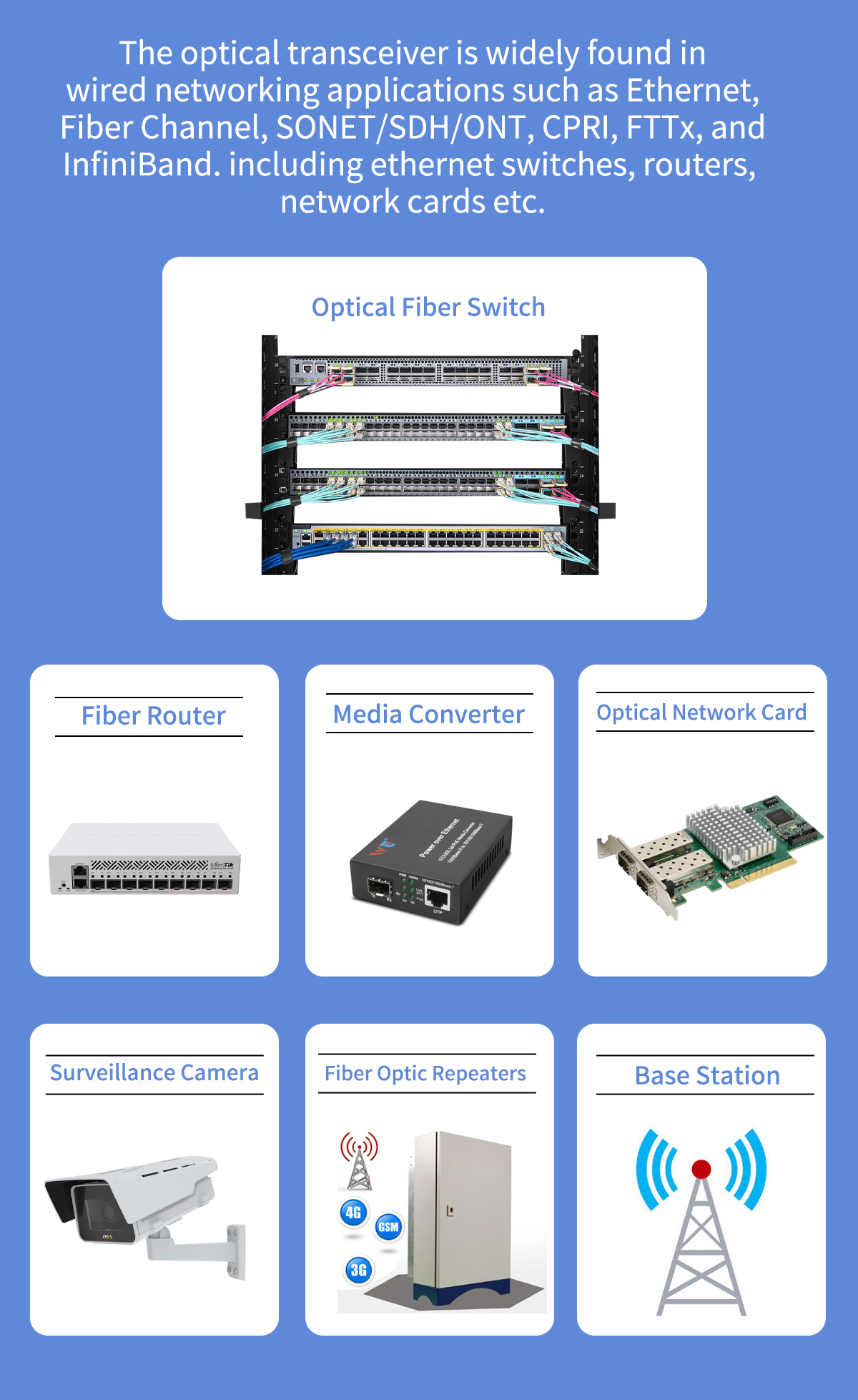
A: This SFP+10G ER MODULE works with standard SFP+ NICs from Intel, Broadcom and NVIDIA/Mellanox, after adjusting EEPROM profile if required. Certain NIC firmware may reject unrecognized vendor‑IDs. IT teams building storage‑network infrastructure can request sample units for lab validation before large‑volume server‑NIC related bulk orders.
Q10: Is mixing SFP+10G ER MODULE and 10G LR transceivers on opposite ends of one fiber link acceptable?
A: Physical link can come up, yet mismatched transmit power levels create high risk of over‑driving receiver or insufficient optical margin. 10GBASE‑LR uses 1310 nm while ER uses 1550 nm; single‑mode fiber passes both wavelengths but optical budget does not align. Avoid mixing ER and LR transceivers on production links. Solution architects designing enterprise fiber topologies should deploy matched transceiver pairs for every fiber‑path.
Q11: What is the maximum power draw rating for our HPE Aruba J9153D‑compatible SFP+10G ER MODULE?
A: Maximum power consumption for our J9153D compatible SFP+10G ER MODULE is ≤1.5 W per unit. High‑density full‑port deployment creates predictable thermal load for switch chassis. When calculating power and cooling budget for data‑center refresh projects, system planners should factor in per‑module power draw for bulk‑ordered SFP+10G ER MODULE transceivers.
Q12: What temperature limits apply to these commercial‑grade J9153D SFP+10G ER MODULE?
A: Commercial‑grade version supports 0 ℃ ~ +70 ℃ operating temperature. This variant fits typical indoor enterprise data‑center and campus cabinet environments. For outdoor cabinet or industrial‑grade deployment, you need industrial‑temperature extended‑range modules. Purchasers for harsh‑environment sites need to specify industrial temp‑grade requirement at RFQ stage.
Q13: Does the SFP+10G ER MODULE integrate on‑module hardware FEC function?
A: This SFP+10G ER MODULE follows IEEE 10GBASE‑ER standard without hardware‑on‑module FEC. You may enable switch‑ASIC‑based FEC on host‑port if your switch platform supports this function. FEC helps compensate marginal link‑budget for loss‑heavy fiber routes. Network planners for long‑reach metro links should clarify FEC support requirements while submitting procurement requests.
Q14: Can hot‑swap operations be performed for J9153D SFP+10G ER MODULE without powering off host equipment?
A: Yes, fully MSA‑compliant hot‑swap capability. You can insert or remove the SFP+10G ER MODULE without powering‑down host equipment. Brief 1‑3‑second link fluctuation occurs during swap; perform replacement inside maintenance window for production‑critical circuits. Datacenter operation teams stocking spare ER transceivers benefit greatly from hot‑swap functionality for live‑network troubleshooting.
Q15: What is the valid laser output power window for J9153D compatible SFP+10G ER MODULE?
A: Per 10GBASE‑ER standard, transmitter output power ranges from ‑1 dBm to +3 dBm. DDM DOM monitoring on HPE Aruba OS allows real‑time reading of laser transmit power. Gradual power drift indicates end‑of‑life risk for EML laser. Network operation staff monitoring large‑scale transceiver fleets can leverage DDM telemetry for predictive hardware replacement planning.
Packaging & Custom OEM Solutions
Individually sealed in ESD-safe packaging and ready to ship. We offer tailored OEM solutions—including custom logos and private labeling—to support high-volume distributors,wholesaler and system integrators.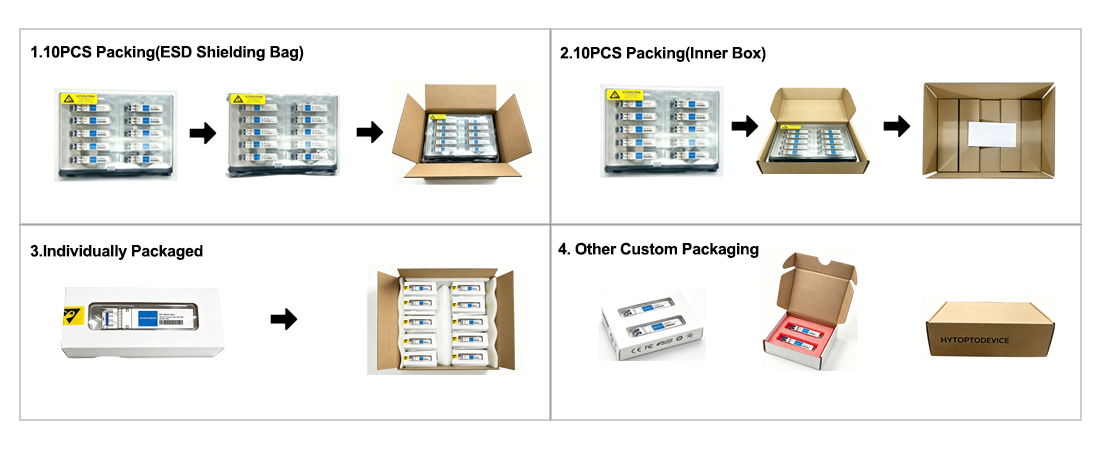
Why Network Engineers Choose HYTOPTODEVICE
HYTOPTODEVICE has supplied over 5000,000 optical transceiver modules to data centers, ISPs, and enterprise networks across 100+ countries since 2011. Every module undergoes a 72-hour burn-in test and full DDM/DOM validation before shipment.
“Phenomenal performance. We deployed 200 HYTOPTODEVICE SFP+ modules to replace Cisco OEMs in our backbone network. Result? Zero compatibility issues and a 60% reduction in costs. Highly recommended for mission-critical networks."— Senior Network Engineer, Regional Telecom, Australia
Quality Certification & Compliance
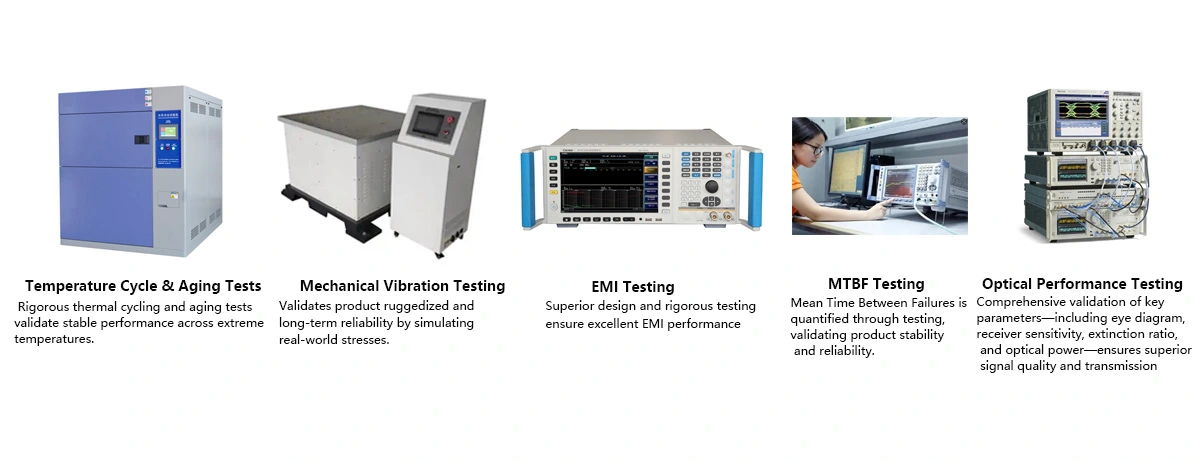
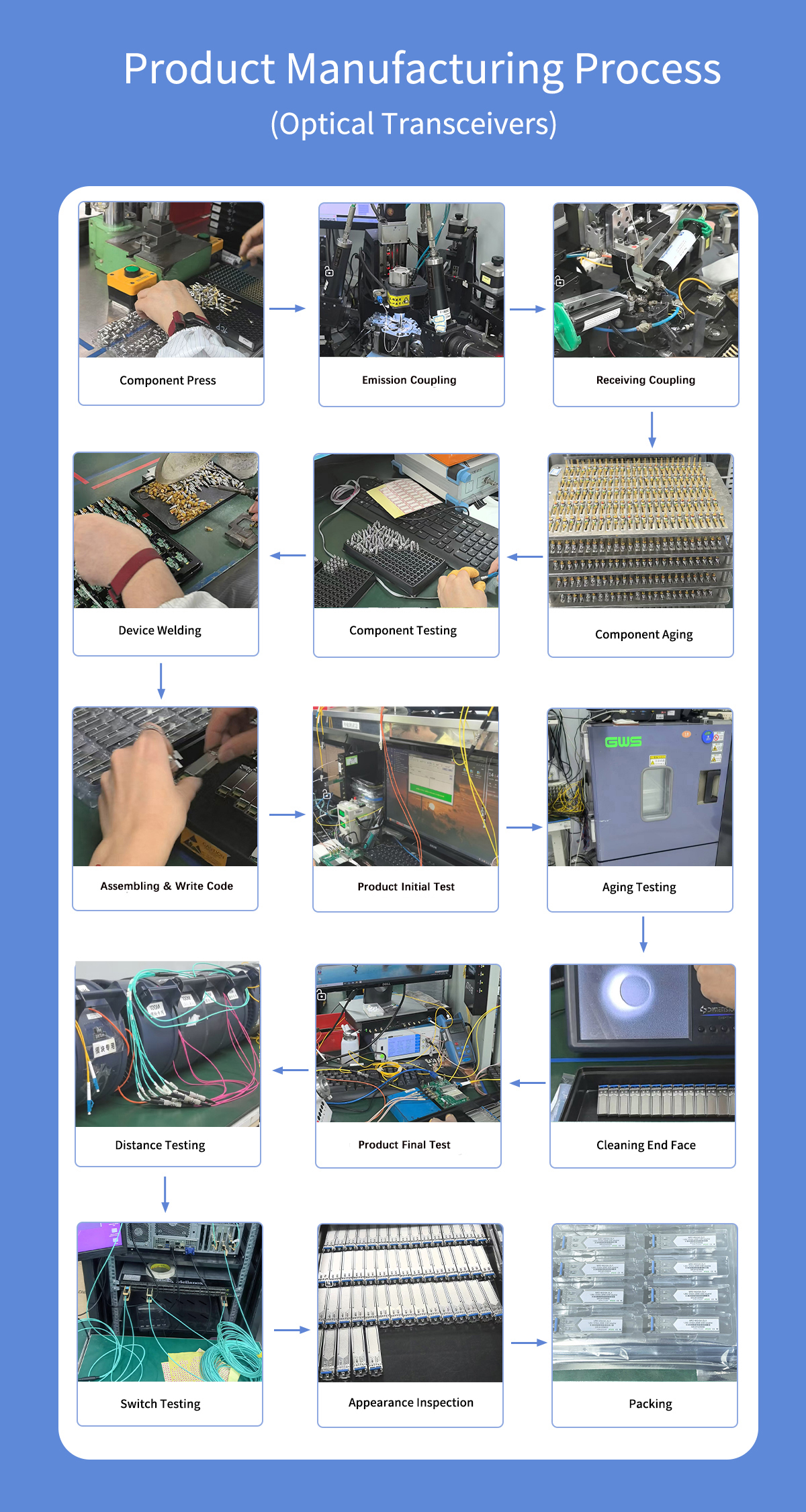
At HYTOPTODEVICE, our quality commitment is backed by industry-standard validations. From fiber optical transceiver manufacturing to final visual inspection, from IQC、IPQC、FQC to OQC, our processes ensure global compliance and reliability.
We adhere to rigorous standards for our SFP modules and network solutions:
ISO 9001: Certified quality management and production consistency.
CE & FCC: Fully compliant for seamless Global Market Access.
RoHS: Committed to environmental responsibility and hazardous material control.
Proven Reliability: Rigorous testing to reduce compliance risk and ensure safety.
Certified Quality. Global Standards. Guaranteed Performance.